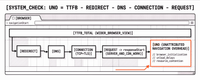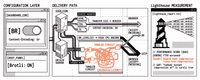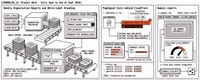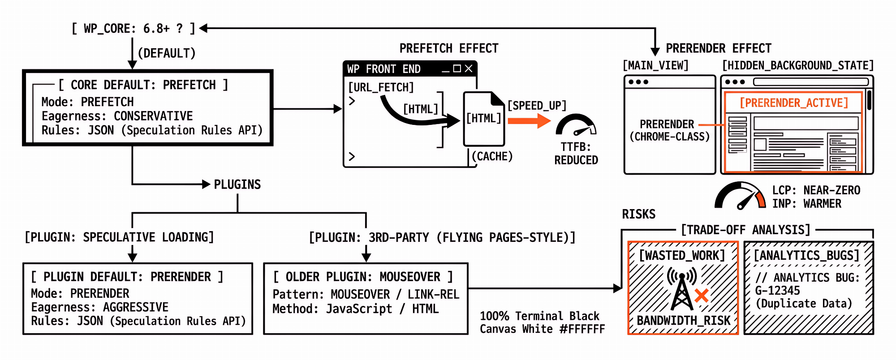
WordPress speculative loading started as a Performance Team feature plugin and landed in WordPress 6.8 as Core behaviour for most public front ends. The browser still does the work through the Speculation Rules API: JSON rules tell Chromium-class browsers which URLs to prefetch or prerender before the click finishes. Agencies then face a practical choice. Keep Core’s conservative prefetch, install (or leave) the Speculative Loading plugin with stronger prerender defaults, or layer a third-party wordpress prefetch / prerender plugin on top of both.
That choice is not “faster equals always better.” Speculative loading can make the next navigation feel instant and can improve Interaction to Next Paint (INP) on the path the user actually takes. It can also pull HTML, scripts, and third-party tags for pages nobody visits, inflate bandwidth on mobile, and confuse first-visit Largest Contentful Paint (LCP) or Cumulative Layout Shift (CLS) when teams measure the wrong navigation. What follows is a WordPress-centric how-to for retainers: when speculation rules help Core Web Vitals, when a wordpress prerender plugin hurts, and how to verify with lab schedules instead of a single homepage paste.
For broader WordPress monitoring context, see WordPress Performance Monitoring: A Complete Guide. When the site is still slow after delivery tweaks, keep Why Your WordPress Site Is Slow (It Is Not Always Hosting) in the runbook: speculation will not fix plugin asset storms on the current URL.
What WordPress speculative loading is (prefetch vs prerender)
Speculation rules are progressive enhancement. Unsupported browsers ignore the script. Supported Chromium browsers (Chrome, Edge, Opera at current versions) may act on the rules subject to memory, Data Saver, and other heuristics. Treat every rule as a hint, not a preload contract.
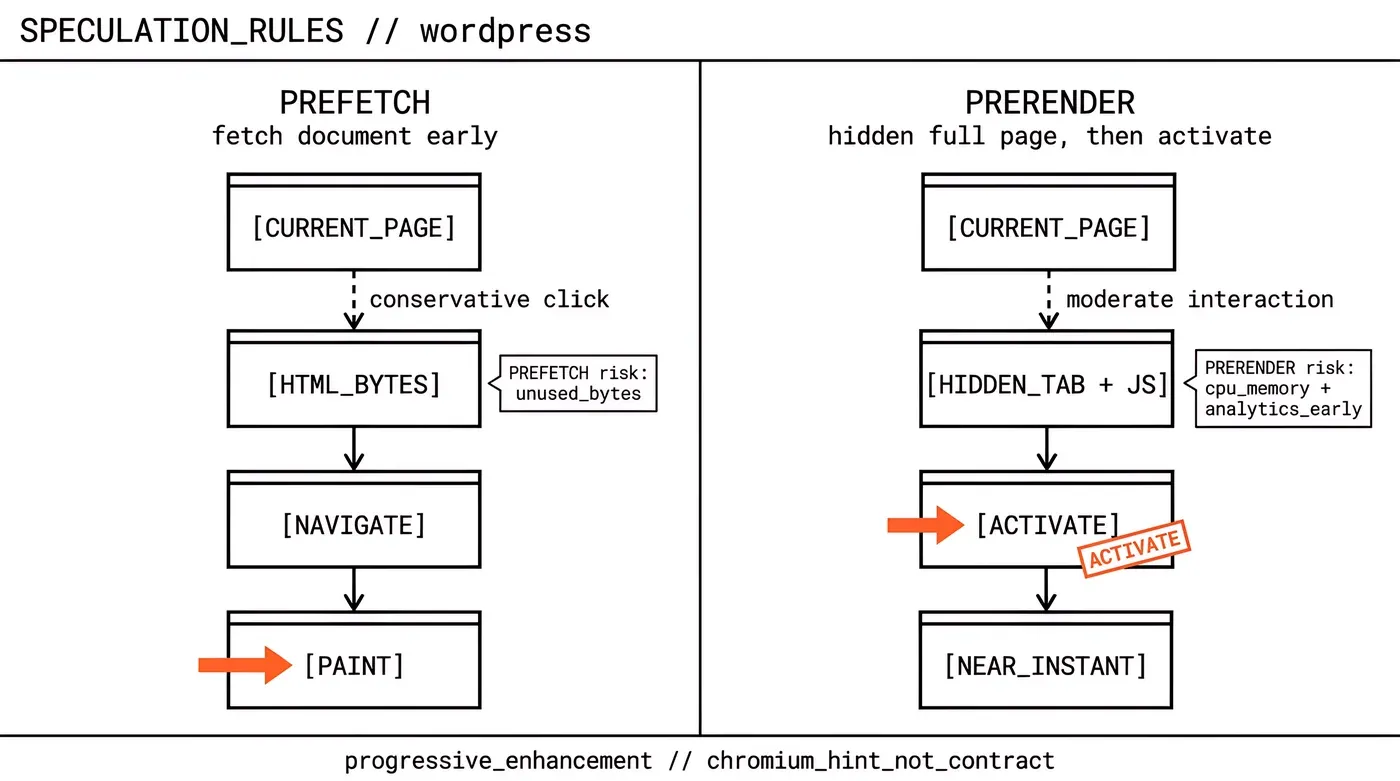
Two modes matter on WordPress sites:
| Mode | What the browser roughly does | Typical CWV upside | Main risk |
|---|---|---|---|
| Prefetch | Fetches the document (and often related resources) early | Shorter wait before paint on the next navigation | Extra bytes if the user never clicks |
| Prerender | Loads the page in a hidden background state, ready to activate | Near-instant next navigation; load CLS can finish before activation; INP can look better because work finished early | Runs client JS earlier; analytics and personalisation bugs; higher CPU/memory; more wasted work on wrong guesses |
Chrome’s documentation is explicit: prerender can drive near-zero LCP and reduce CLS for the activated view when load shifts happen before the user sees the page, and it can improve INP because interaction lands on a warmer page. The same docs warn against over-prerendering because of memory and network cost. WordPress Core and the Speculative Loading plugin are different opinions about how aggressive that trade-off should be by default.
Older wordpress prefetch plugins (Flying Pages-style link hover prefetch, theme “instant page” scripts, some cache-plugin toggles) sit adjacent to this story. Some now emit Speculation Rules; others still use older link-rel or mouseover fetch patterns. For agency audits, treat “prefetch on hover” and “Speculation Rules prerender” as different levers with different failure modes.
Core 6.8 defaults vs the Speculative Loading plugin
WordPress 6.8 enables speculative loading on the front end by default when the visitor is logged out and the site uses pretty permalinks. The effective Core starting point is prefetch with conservative eagerness: speculation starts around the beginning of a click. That is intentionally close to configurations large CDNs have used at scale. It buys a short head start with a low rate of unused fetches.
Core disables the feature for logged-in users and when pretty permalinks are off, because query-string “action URLs” (cart adds, favourites, state changes via GET) are common in the plugin ecosystem and must not be guessed into. URLs with query parameters are excluded by default. Filters such as wp_speculation_rules_configuration and wp_speculation_rules_href_exclude_paths let engineers raise eagerness, switch to prerender, or exclude path patterns such as /cart/*.
The Speculative Loading plugin remains useful after the Core merge. Its defaults are more aggressive: prerender with moderate eagerness (typically on link interaction), plus a Settings → Reading UI for mode and eagerness. The plugin also documents opt-ins for authenticated front-end users when the host can absorb the load (object cache strongly recommended). On WordPress 6.8+, the plugin builds on Core’s API rather than replacing the whole idea; agencies should know which layer owns the live configuration before they “install one more speed plugin.”
HTTP Archive and CrUX analysis cited in the Core note reported roughly a 1.9% median lift in LCP passing rate for sites that enabled speculative loading via the feature plugin over the study window. That is a population signal, not a promise that every client homepage will drop 200 ms in lab LCP after you flip prerender to moderate.
When speculation helps navigation INP and next-page LCP
Speculation pays off when users move through predictable internal links: article → related post, category → product, docs hub → guide. The win shows up on the destination navigation, not on the cold first entry from search or ads. Agencies selling “instant site” from a single PageSpeed Insights homepage score are measuring the wrong clock.
Helpful patterns we see in practice:
Core prefetch / conservative on content sites with clean pretty permalinks and few GET action URLs.
Plugin or filter prerender / moderate on a small set of high-confidence destinations (primary nav, top product cards) after cart and account paths are excluded.
Chromium-heavy audiences (many B2B and ecommerce dashboards) where progressive enhancement still covers Safari/Firefox users without harm.
INP can improve on the activated page because main-thread work and hydration had a head start. Next-page LCP can look excellent when the LCP image and text were already in the prerender. Neither outcome excuses a heavy first HTML response or third-party tags on the URL the user opened first. Speculation multiplies whatever that destination loads; it does not delete unused JavaScript.
When a WordPress prerender plugin hurts first-visit LCP, CLS, or bandwidth
Problems show up when teams install a wordpress prerender plugin (or raise Core to prerender/eager) and then judge success only from a warmed multi-page lab session, or when unused prerenders compete with the current page for CPU and network on mid-range mobiles.
Common failure modes:
First visit from search or paid landings stays untouched. Speculation does not prerender the entry URL from Google. If mobile LCP is poor on that landing template, fix the LCP resource and server path first.
Eager or broad prerender on mega-menus. Hovering a header with forty links can queue many documents. Bandwidth and main-thread cost rise; field INP on the current page can worsen while “next page” demos look great in the office.
Cart, checkout, account, and nonce URLs. Prefetching a GET add-to-cart or wishlist URL can change state without a full navigation. Core excludes many query-string URLs; custom rewrite “action URLs” still need
wp_speculation_rules_href_exclude_paths(or the plugin’splsr_speculation_rules_href_exclude_paths) andno-prefetch/no-prerenderclasses on blocks.Analytics and personalisation. Prerender runs page JS early. Providers that do not wait for activation can double-count or set cookies too soon. Chrome documents delaying analytics until activation; many major tags already do this, but custom theme JS often does not.
CLS “improvements” that hide layout debt. Load CLS that finishes during prerender may not appear at activation, which is good for users and scores, but it can mask unreserved embeds that still break when prerender is cancelled or unsupported. Keep fixing reserved space.
Stacked plugins. Core + Speculative Loading + Flying Pages + a cache plugin’s “preload links” toggle can emit overlapping hints. Pick one speculation owner per site.
If lab LCP on the entry URL got worse after enabling prerender, check whether the test device is fighting background prerenders while measuring the current document. If field LCP improved only on internal navigations, say so in the client report; do not imply organic landing LCP moved the same way. Separating those clocks is what keeps the retainer honest when a plugin changelog promises “instant LCP.”
Safe settings for agency WordPress retainers
Use a staged default rather than a global “enable prerender” checkbox on every brochure site.
| Site type | Starting point | Escalate only when |
|---|---|---|
| Marketing / blog, pretty permalinks | Core prefetch / conservative (6.8 default) | Internal nav is the KPI and Chromium share is high |
| WooCommerce / membership | Core default + exclude /cart/*, checkout, account, wishlist paths | Host capacity proven; action URLs audited |
| High-traffic content with clear next clicks | Speculative Loading plugin or Core filter to prerender / moderate on selected patterns | Analytics and tag managers verified under prerender |
| Logged-in app-like front end | Leave disabled until object cache and exclusions exist | Product owners accept extra authenticated load |
Agency checklist before go-live:
Confirm WordPress version and whether Core already injects speculation rules (View Source for a
speculationrulesscript type).Inventory other prefetch/prerender plugins and cache-plugin toggles so one owner remains.
Exclude cart, checkout, logout, nonce, and any GET action paths.
Decide logged-in behaviour explicitly (usually off).
Document mode and eagerness in the retainer runbook so the next plugin cleanup does not reset them.
Theme and page-builder “instant load” marketing copy is not a configuration record. Write the actual mode (prefetch vs prerender) and eagerness (conservative / moderate / eager) into the handoff. The next engineer should not have to reverse-engineer View Source to learn what you enabled.
How to verify with lab schedules and field data
Measure two journeys separately.
Entry URL (first visit): PageSpeed Insights or scheduled Lighthouse on the money landing template with a cold load. Speculation should not be the primary fix here. Watch LCP resource, TTFB, and third-party blocking.
Internal navigation: From a listing or article, follow a primary link in Chrome with Speculation Rules debugging enabled (Chrome documents debugging flows for prerender). Compare activation feel and performance panel timings with rules on versus off. For portfolio retainers, keep scheduled lab history on both the entry URL and one representative destination URL so a plugin change cannot hide behind a single score.
Field data (CrUX via PageSpeed Insights or Search Console) mixes navigations. A rise in origin LCP after enabling prerender may reflect faster subsequent views, a changing Chrome population, or unrelated template work. Annotate the speculation change in your monitoring notes the same week you ship it. WordPress Performance Monitoring: A Complete Guide covers ongoing schedules; use those schedules so “we turned on prerender” is a dated event next to the charts.
Apogee Watcher fits the verification loop for agencies: multi-site lab schedules on entry and destination URLs, budgets when LCP regresses after a plugin change, and history account managers can open without re-running a laptop test. Speculation remains a WordPress and browser feature; monitoring tells you whether the retainer got faster for the journeys you sell. Without that history, every prerender debate restarts from a single screenshot.
FAQ
What are WordPress speculation rules?
They are Speculation Rules API instructions WordPress prints so compatible browsers can prefetch or prerender likely next URLs. WordPress 6.8 includes a conservative prefetch default for logged-out users on pretty-permalink sites.
Is the Speculative Loading plugin still needed on WordPress 6.8?
Often yes if you want prerender, moderate eagerness, or a wp-admin UI. Core’s default is safer and milder. The plugin (or Core filters) is the escalation path, not a required install on every site.
Will a wordpress prerender plugin fix homepage LCP from Google?
Usually not by itself. Speculation targets subsequent navigations. Fix the landing template’s LCP resource, CSS, and server response for entry traffic first.
Can speculative loading break WooCommerce?
It can if add-to-cart or other GET action URLs are guessed. Cart, checkout, and account paths belong on the exclude list, and Core’s conservative defaults are the safer starting point until those exclusions are proven. POST-based cart flows remain the healthier pattern regardless of speculation.
Does wordpress prefetch help Safari and Firefox?
Those browsers ignore Speculation Rules today. Users still get a normal navigation; they simply miss the head start. Do not promise cross-browser instant navigation.
How do we know it helped Core Web Vitals?
Compare scheduled lab tests on entry versus destination URLs before and after the change, and annotate field dashboards with the ship date. Destination LCP or INP gains matter only when entry-URL scores and bandwidth stay within the budgets you already sold.
If a client’s WordPress stack already ships Core 6.8, start by documenting the live speculation configuration before installing another prerender plugin. Keep lab schedules on the URLs you sell in the retainer, and treat speculation as a navigation optimisation with explicit exclusions. Start a free Apogee Watcher trial when you want those WordPress URLs monitored across clients without pasting PageSpeed Insights by hand after every plugin toggle.
References
Speculative Loading in 6.8 (Make WordPress Core)
Speculative Loading (WordPress plugin) (WordPress Performance Team)
Prerender pages in Chrome for instant page navigations (Chrome for Developers)
Implementing speculation rules (Chrome for Developers)
Speculation Rules API (MDN)