Required access: All roles can read this guide · Discover Pages action — Manager or Admin only
Page discovery imports URLs into a site’s page list so scheduled PageSpeed tests know what to measure. Apogee Watcher can read sitemaps, crawl internal links, or combine both — depending on the method you choose in the Discover Pages modal.
For step-by-step clicks, see Add and discover pages. This article explains what happens under the hood.
Why discovery exists
Manual URL entry does not scale on shops, publishers, or multi-section marketing sites. Discovery:
- Finds candidate URLs on the same host as the site record
- Respects caps (maximum URLs, crawl depth, robots.txt when enabled)
- Creates site page rows marked as auto-discovered
- Assigns a default priority (usually Low) so you can promote important templates later
Discovery methods
| Method | What Watcher does | Best when… |
|---|---|---|
| Auto | Tries sitemap first, then crawl / external fallbacks as configured | Most production sites with a sitemap |
| Sitemap only | Parses sitemap.xml and nested sitemaps |
You trust the sitemap and want no HTML crawl |
| HTML crawl only | Follows internal links from the site root | Sitemap is missing or stale |
| DataForSEO (when offered) | Uses external crawl API for large hosts | Very large catalogues where on-server crawl is slow |
Exact labels in the modal match the options your plan and site configuration expose.
Typical Auto flow
- Watcher resolves the site’s canonical host.
- It fetches
robots.txtand locates sitemap URLs when present. - URLs from the sitemap are normalised (trailing slashes collapsed, PDFs and other non-page files dropped) and deduplicated.
- If the sitemap is thin, an HTML crawl may run up to Maximum Crawl Depth.
- Optional Include / Exclude patterns filter paths (for example exclude
/tag/or/cart). - New URLs become Site Pages; existing URLs are skipped or updated per product rules.
A progress notification runs while discovery is active. Large hosts may take several minutes.
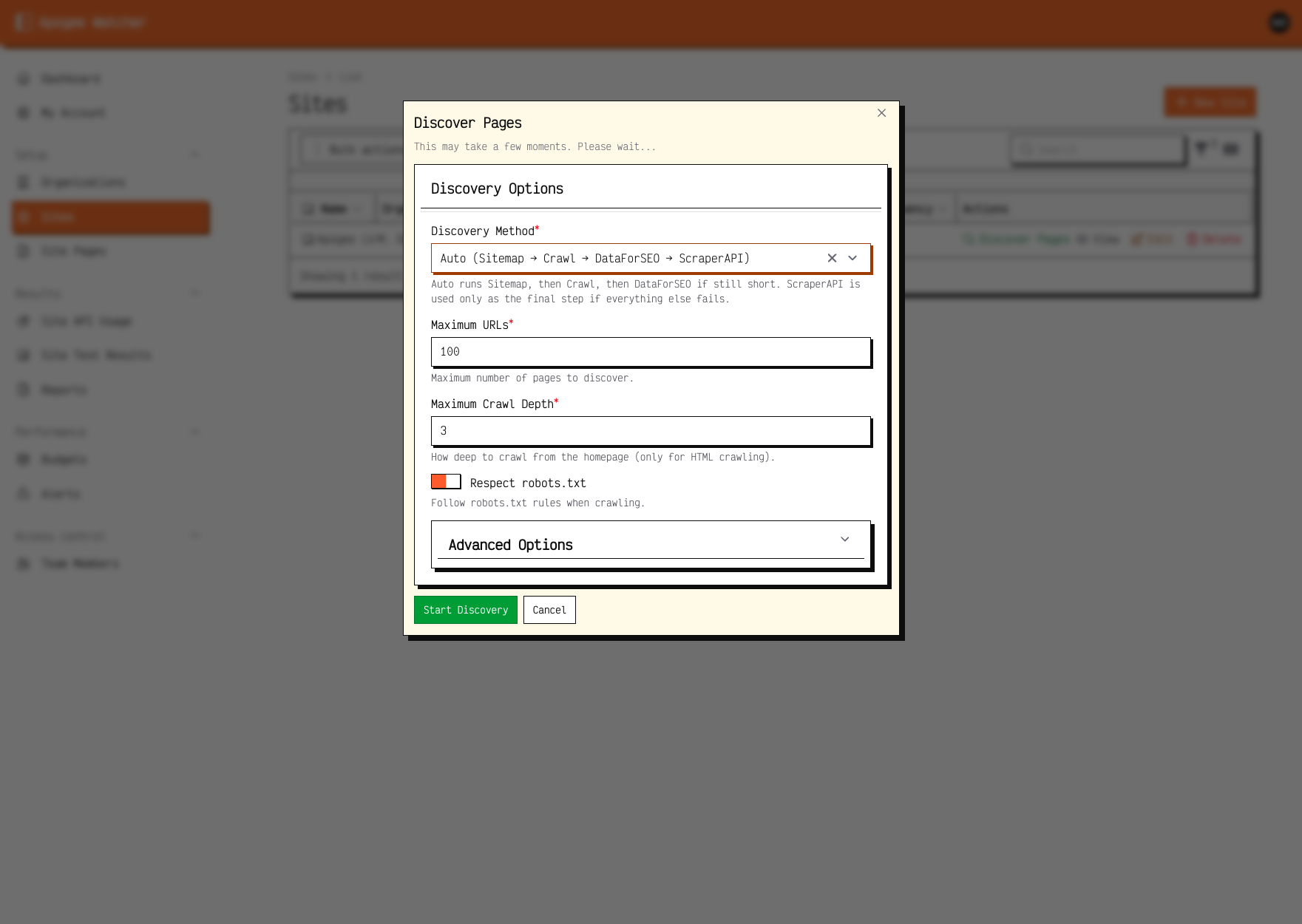 Discover Pages — method, caps, and pattern filters for one run.
Defaults on imported pages
- Priority: usually Low (3) until you raise it — see Page priority and test frequency
- Included in scheduled tests: typically enabled for discovered URLs
- Mobile / desktop strategies: inherit site defaults unless you edit per page
Limits and safety rails
- Maximum URLs stops runaway imports (parameter faceting, infinite calendar archives).
- Non-page files (PDFs, images, documents, assets) are skipped.
/privacy-policyand/privacy-policy/count as one URL. - Respect robots.txt should stay enabled unless you have a documented exception with the site owner.
- Discovery runs in the current organisation only — it cannot import URLs from a different hostname into this site record.
Who can run discovery
| Role | Run Discover Pages |
|---|---|
| Admin | Yes |
| Manager | Yes |
| Viewer | No |
Read-only mode disables discovery for all roles.
After discovery
- Open Setup → Site Pages and review the new rows.
- Raise priority on homepage, checkout, and other critical templates.
- Run a manual test on one page to confirm PSI access — Run a test and read results.