Every PageSpeed run in Watcher stores lab metrics from Lighthouse. When Google publishes Chrome UX Report (CrUX) data for that URL and strategy, the same result also shows field (real-user) percentiles. Use both when you explain performance to clients — they answer different questions.
Open a result from Results → Site Test Results. All roles can view; only Manager and Admin can run new tests. See Run a test and read results.
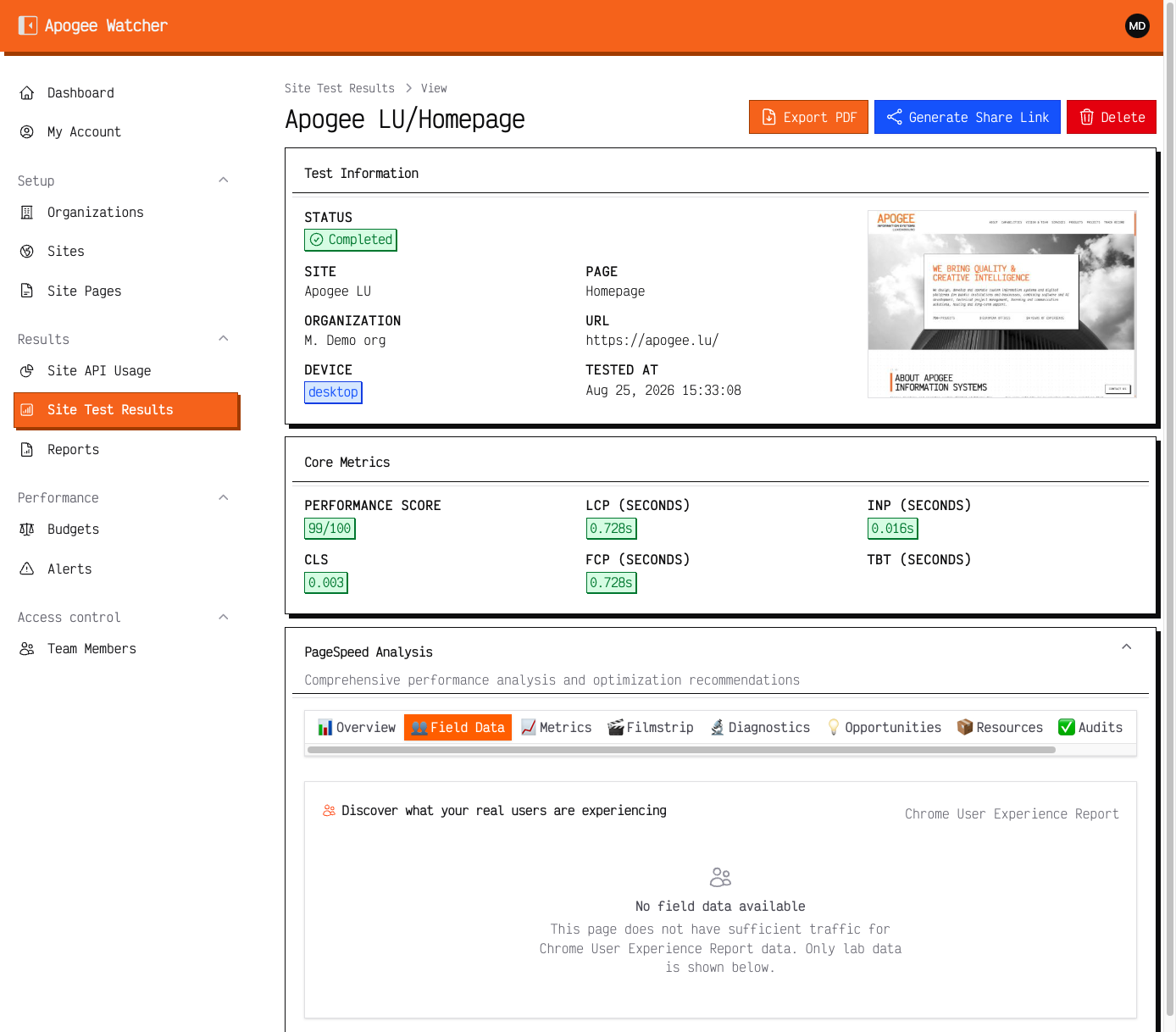 Result view — lab scores stay visible; Field Data shows CrUX when Google has enough samples (empty message is normal for low-traffic URLs).
What lab data is
Lab data is a single simulated load under controlled device and network settings for the strategy you tested (mobile or desktop).
Typical lab fields on the result view:
| Area | Examples |
|---|---|
| Performance score | Lighthouse performance score (0–100) |
| Core Web Vitals (lab) | LCP, INP, CLS for that run |
| Supporting metrics | FCP, TBT, Speed Index, and other diagnostics |
| Audits / opportunities | Lighthouse findings from the same run |
Lab scores change as soon as you redeploy and re-test. They are ideal for release checks and debugging, but they are not a census of real visitors.
What field data (CrUX) is
Field data comes from the Chrome UX Report: anonymised metrics from real Chrome users over a rolling window Google maintains.
When present, the result view shows CrUX sections such as:
- p75 values for LCP, INP, CLS (and related metrics when available)
- Distribution bars and a Core Web Vitals assessment
- URL-level experience when Google has enough samples; otherwise origin-level experience may appear instead
Field data lags deploys. A fix that looks green in lab may take days or weeks to move CrUX percentiles.
How to read them together
| Situation | Prefer |
|---|---|
| Did this deploy regress Lighthouse? | Lab on the same URL and strategy before/after |
| Are real users still failing CWV? | Field (CrUX) when available |
| Client asks “are we good in Search?” | Field assessment + lab as supporting evidence |
| Brand-new or low-traffic URL | Lab first; CrUX may be empty |
Missing CrUX is normal for new paths, low traffic, or URLs Google has not classified yet. It is not a Watcher outage.
Mobile and desktop
Lab and field are strategy-specific. A strong desktop lab score does not prove mobile field health. Enable and review both strategies — Mobile and desktop strategies.
In client reports, label charts Lab (Lighthouse) vs Field (CrUX) so stakeholders do not treat one simulated run as “the” Core Web Vital for the site.