Required access: All roles can view strategy settings · Manager or Admin to edit toggles
Watcher tests each site page as mobile, desktop, or both. Strategies are independent: scores, budgets, and CrUX field data do not transfer between them.
Why both matter
Mobile and desktop often diverge after the same deploy — different viewports, CPU constraints, and image sizes. Client and SEO conversations usually need both stories. See Lab data vs field data.
View current settings
- Sign in at
/admin. - Open Setup → Site Pages.
- Open a page (or scan the list columns for mobile/desktop indicators).
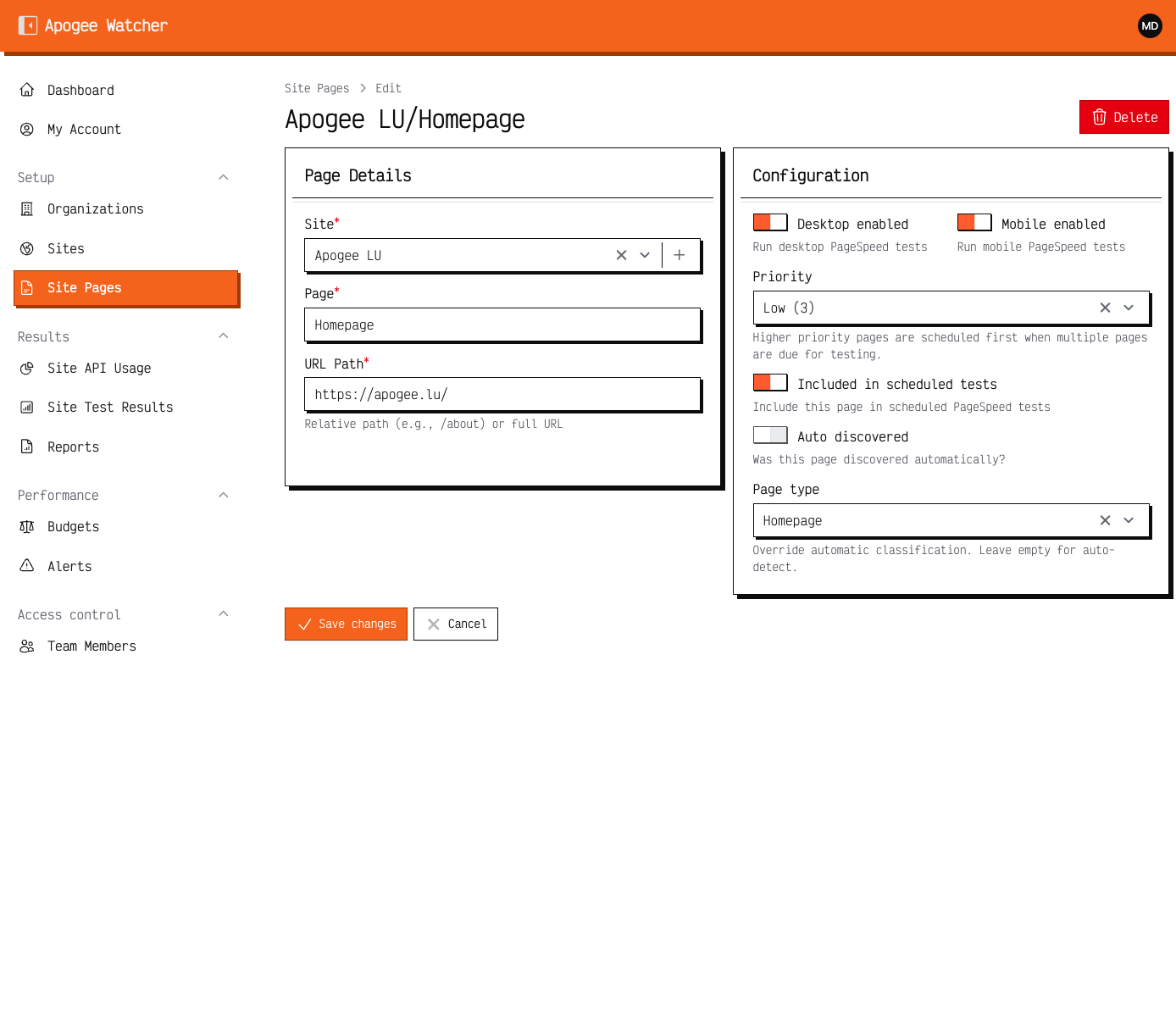 Edit Site Page — Desktop and Mobile strategy toggles (and Active) control which PSI runs consume quota.
On the page form you typically see:
| Control | Meaning |
|---|---|
| Mobile (or mobile enabled) | Include mobile PageSpeed strategy |
| Desktop | Include desktop PageSpeed strategy |
| Active | Include the page in scheduled testing |
| Priority | Ordering hint for digests and roll-ups |
Defaults are usually both strategies on for new pages.
If you are a Manager or Admin — change strategies
- Open the page record from Site Pages.
- Enable or disable Mobile and Desktop.
- Keep Active on for URLs you want on the schedule.
- Save.
Each enabled strategy that runs (manual or scheduled) counts toward your organisation’s monthly test quota. Disabling one strategy halves consumption for that page when both were previously on.
Budgets and alerts by strategy
Performance budgets are created per site and device (one mobile budget and one desktop budget when you need both). Alerts fire against the strategy that violated its threshold. See Set performance budgets.
Manual and bulk runs
When you click Run Test or bulk Run Tests, Watcher queues a result for each enabled strategy on the selected pages. Details: Run a test and read results.
Viewer note
Viewers can open pages and results but cannot change strategy toggles. Ask a Manager or Admin if a URL should stop testing one device class.
For public marketing sites, leave both strategies enabled. Turn off desktop only when you have a written reason (for example an app that is mobile-only in production).