Required access: Manager or Admin for quota decisions · Viewers can open the usage list read-only
Every PageSpeed Insights run in Apogee Watcher consumes API quota. Site API Usage records daily aggregates so you can see volume, success rate, and errors before you hit the organisation’s monthly test limit.
For plan caps, topbar Sites / Orgs / Tests meters, and 80% / 100% test-quota emails, see Understand plan limits.
Open Site API Usage
- Sign in at
/admin. - Open Results → Site API Usage.
- Scan the table by Date, Total requests, Success, Errors, and Success Rate.
- Open a day row for mobile/desktop breakdown when available.
The sidebar badge may show today’s request count as a quick indicator. The signed-in topbar meters show organisation plan usage (including tests) without opening this page.
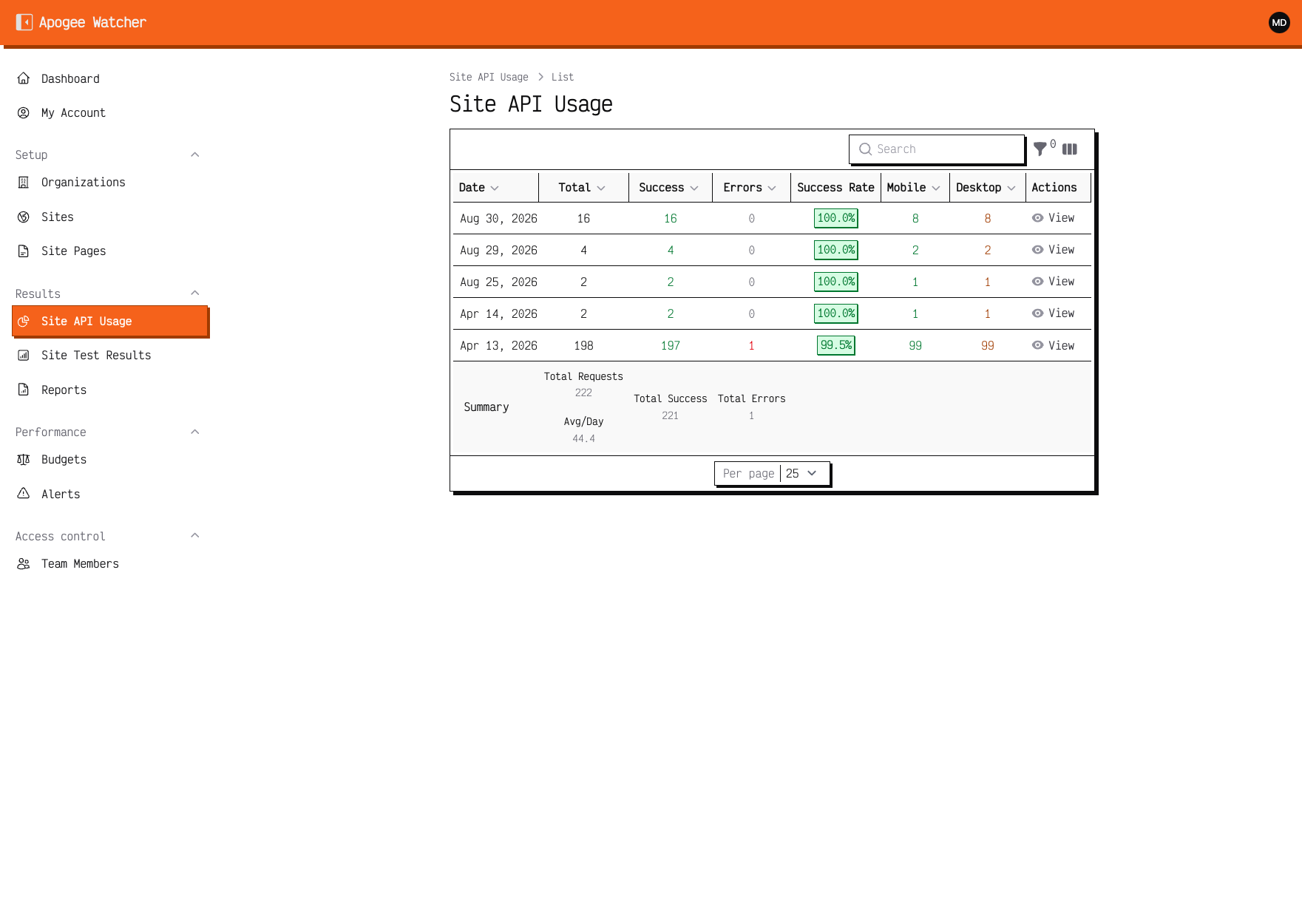 Site API Usage — daily totals for the current organisation.
Dashboard widget
On the Dashboard, the API usage widget summarises recent consumption for organisation admins. Use it alongside Plan & usage when deciding whether to raise test frequency or trim low-priority pages.
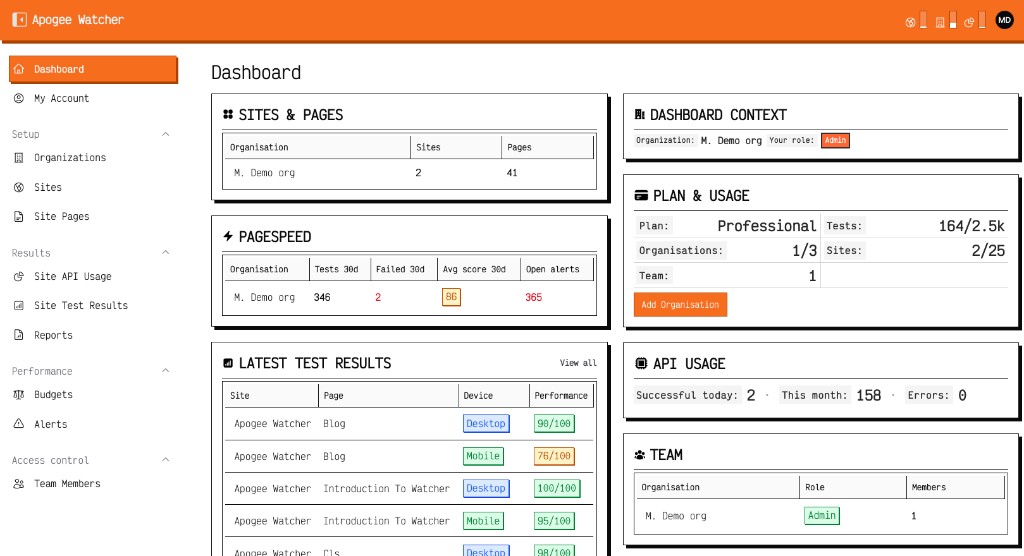 Dashboard Plan & usage — monthly test cap vs consumption.
What counts toward quota
| Action | Counts as API usage |
|---|---|
| Scheduled test on a page (mobile and/or desktop) | Yes — one request per strategy run |
| Manual Run Test | Yes |
| Failed PSI call (timeout, 4xx/5xx) | Often still recorded as error usage |
| Viewing an old test result | No |
Free plans use a lower tests per month cap than paid tiers. Exact numbers are on My Account — Understand plan limits.
When errors spike
- Open Results → Site Test Results and filter recent failures.
- Read Error details on the result view.
- Cross-check the same date in Site API Usage Errors column.
- Follow Tests failing or missing for common PSI messages.
Reduce usage without turning monitoring off
- Lower Scheduled test frequency on low-traffic sites
- Set non-critical URLs to Included in scheduled tests off
- Drop Low priority archive URLs after discovery
- Test mobile-only on templates where desktop is redundant (see Mobile and desktop strategies)