Required access: All roles · Any plan
Lab data (Lighthouse through PageSpeed Insights) is available on almost every successful test. Field data (Chrome UX Report / CrUX) appears only when Google has enough real-user measurements for that URL or origin.
An empty Field Data section is usually not an Apogee Watcher bug.
Where field data appears
- Open Results → Site Test Results.
- Open a completed result.
- Select the Field Data tab (or section).
When CrUX exists, you see LCP, INP, CLS and related field metrics with collection period notes.
When CrUX is missing, Watcher shows copy similar to "Not enough real-world data available for this URL".
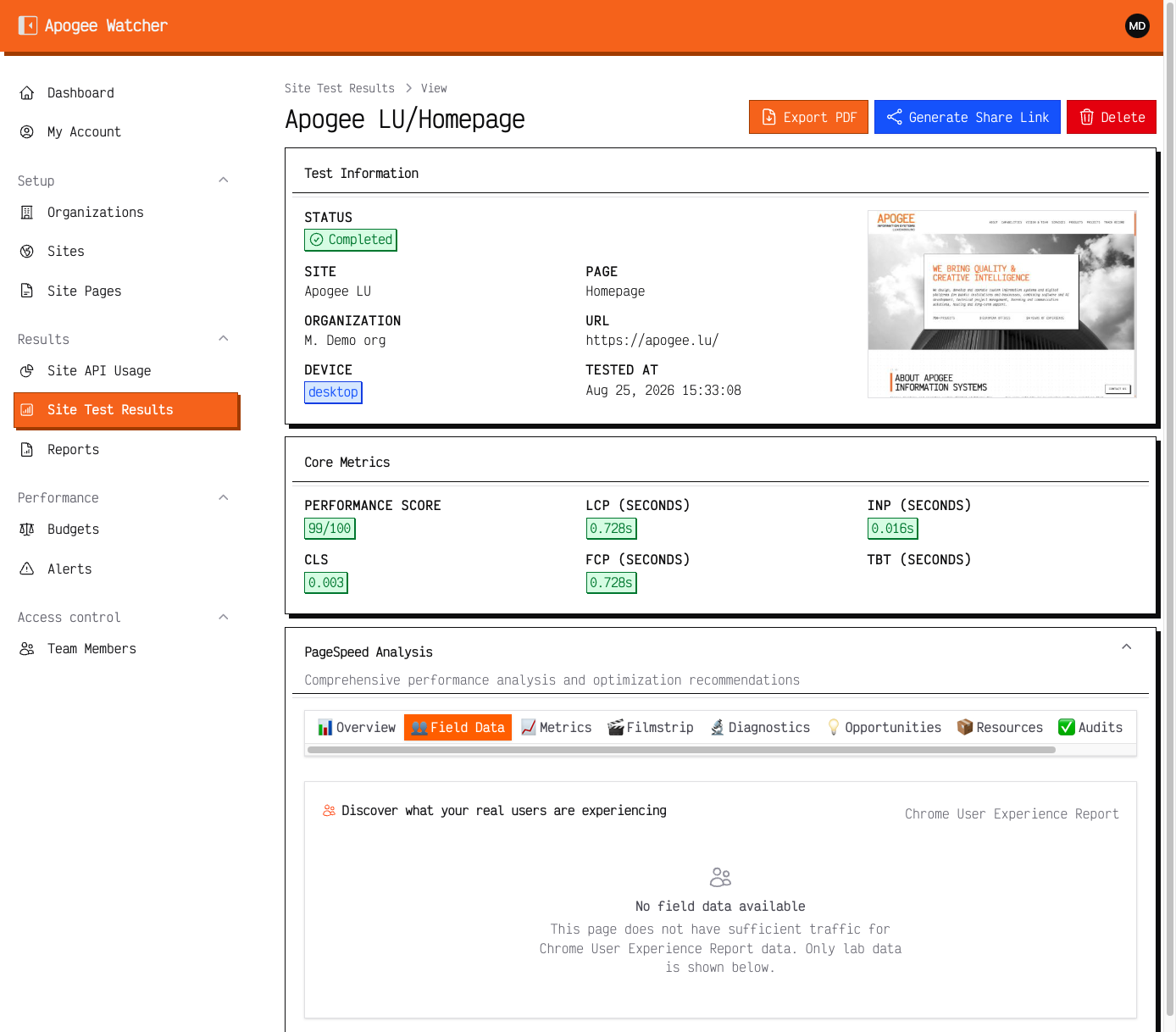 Reuse P0 capture — Field Data empty while lab scores are present.
Common reasons CrUX is empty
| Reason | Explanation |
|---|---|
| Low traffic | Google needs sufficient Chrome users on the URL or origin |
| New URL | Recently launched paths have not accumulated 28-day history |
| Non-indexable or blocked | Robots, auth walls, or staging hosts are excluded from public CrUX |
| URL vs origin | PSI may show origin-level field data while URL-level is thin |
| Strategy mismatch | Mobile field data may exist when desktop does not (or reverse) |
Read Lab data vs field data for the full comparison.
What to do
- Trust lab scores for engineering triage on low-traffic pages.
- Check Search Console Core Web Vitals report for origin-level field trends when the client site is verified there.
- Monitor over time — field data may appear after traffic grows.
- Validate URL in PageSpeed Insights directly — if Google’s UI also lacks field data, Watcher cannot invent it.
Reporting to clients
Do not claim CrUX-based SLA compliance on URLs with no field section. Use lab scores plus qualitative checks, or cite origin-level field data when URL-level is unavailable.
For narrative templates, see What Are Core Web Vitals? and LCP, INP, CLS.