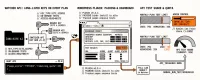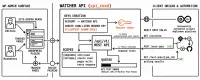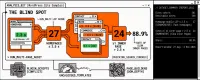
Agencies turn on a “speed” plugin, defer a few scripts, and still watch Largest Contentful Paint crawl. The report says render-blocking resources, and the plugin says it inlined critical CSS, yet nothing in the client story explains which stage of the browser’s critical rendering path was actually stuck. The ticket stays vague, so the next change is another guess.
The critical rendering path (CRP) is the sequence from first byte of HTML to the first meaningful pixels. When that path is blocked, Core Web Vitals “fixes” that never name the stage become expensive guesswork. What follows maps the browser render path stage by stage, ties each stage to first paint and LCP diagnostics, shows why theme plugins often miss the real blocker, and ends with a waterfall checklist you can run before the next retainer sprint.
This is not a Critical CSS extraction tutorial. Extraction and “eliminate render-blocking” tactics live in Critical CSS and render-blocking resources. The job here is diagnosis: see the path clearly, then choose the fix.
What the critical rendering path is
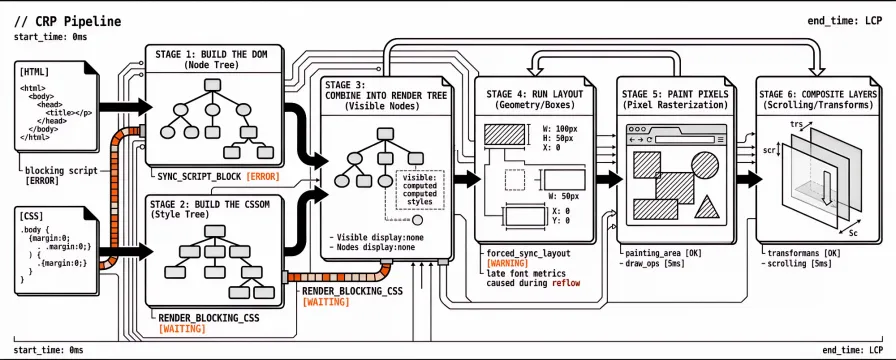
The critical rendering path is the work the browser must finish before it can paint content the user can see. Google’s web.dev Critical Rendering Path guide remains the canonical stage list. In practice you care about six moves:
Build the DOM from HTML.
Build the CSSOM from CSS.
Combine them into a render tree.
Run layout (geometry for each node).
Paint pixels for those nodes.
Composite layers for scrolling and transforms.
Anything that delays DOM or CSSOM construction delays the render tree, and anything that delays layout or paint delays first paint. Network time before HTML arrives is related but separate; DNS, TLS, and CDN behaviour belong in network performance for web teams. CRP starts once the browser has HTML to parse.
DOM, CSSOM, and the render tree
HTML is parsed into the Document Object Model. The parser can be interrupted by synchronous scripts that must download and execute before parsing continues. A blocking <script> in <head> without defer or async freezes DOM construction and pushes every later paint.
CSS is parsed into the CSS Object Model. Stylesheets linked without non-blocking patterns are render-blocking by default: the browser will not paint until it believes it has enough CSS to avoid a flash of unstyled content. That is the classic tension in first paint performance: you want pixels early, but you also want them correct.
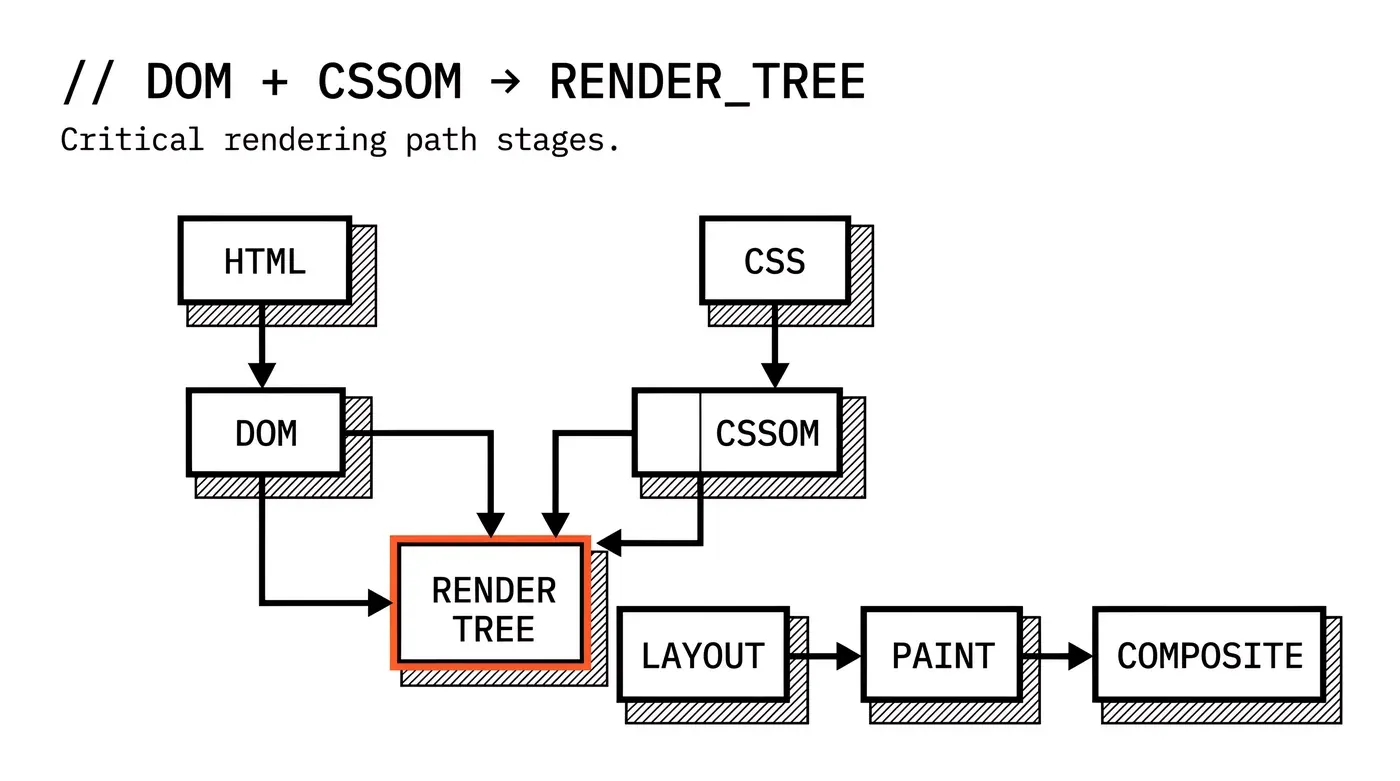
The render tree is the intersection: DOM nodes that will actually draw, with computed styles from the CSSOM. display: none nodes drop out. Visibility and opacity still participate differently than many teams expect, which is why “hide it with CSS” is not a free pass for LCP candidates. If the CSSOM is incomplete, the render tree waits even when the DOM looks ready.
| Stage | Input | Output | Typical blocker |
|---|---|---|---|
| DOM | HTML (+ sync JS) | Node tree | Sync scripts, huge HTML, document.write |
| CSSOM | CSS | Style tree | Render-blocking stylesheets, @import chains |
| Render tree | DOM + CSSOM | Visible nodes | Waiting on either tree |
| Layout | Render tree | Boxes / geometry | Forced sync layout, late font metrics |
| Paint | Layout | Pixels | Large paint areas, complex effects |
| Composite | Layers | Frames | Over-layering, main-thread work |
When someone says “the page is waiting on CSS,” they usually mean CSSOM construction is holding the render tree. When they say “fonts caused a reflow,” they mean layout ran again after font metrics arrived. Naming the stage keeps the next ticket honest.
How render-blocking CSS and scripts stall first paint
Render-blocking CSS stops paint until the CSSOM is ready enough. A single large styles.css in the head, loaded from a cold origin, can dominate early lab runs even when the LCP image is already optimised. Synchronous JavaScript in the head stops HTML parsing, which stops DOM growth, which stops the render tree.
That is why first paint performance and LCP are related but not identical. First Contentful Paint (FCP) cares that something painted, while LCP cares that the largest contentful element painted. You can improve FCP with a skeleton while LCP still waits on a hero image or a late web font that changes text metrics. Supporting metrics are unpacked in FCP and TBT beyond Core Web Vitals; LCP, INP, and CLS remains the metric reference.
Script loading strategy matters later in the path as well. defer, async, and type="module" change when the main thread is busy relative to parse and paint. For interaction and Total Blocking Time after first paint, use defer, async, and module scripts. For CRP diagnosis, start simpler: did a sync script delay DOM construction before any paint?
Map CRP stages to FCP and LCP in Lighthouse
PageSpeed Insights and Lighthouse do not label “CSSOM wait” as a single audit name, but the filmstrip, waterfall, and opportunity lists map cleanly if you keep the stages in mind. Treat the table below as a translation layer from CRP vocabulary into the lab signals you already open on a client URL. You are matching symptoms you recognise to the stage that owns them.
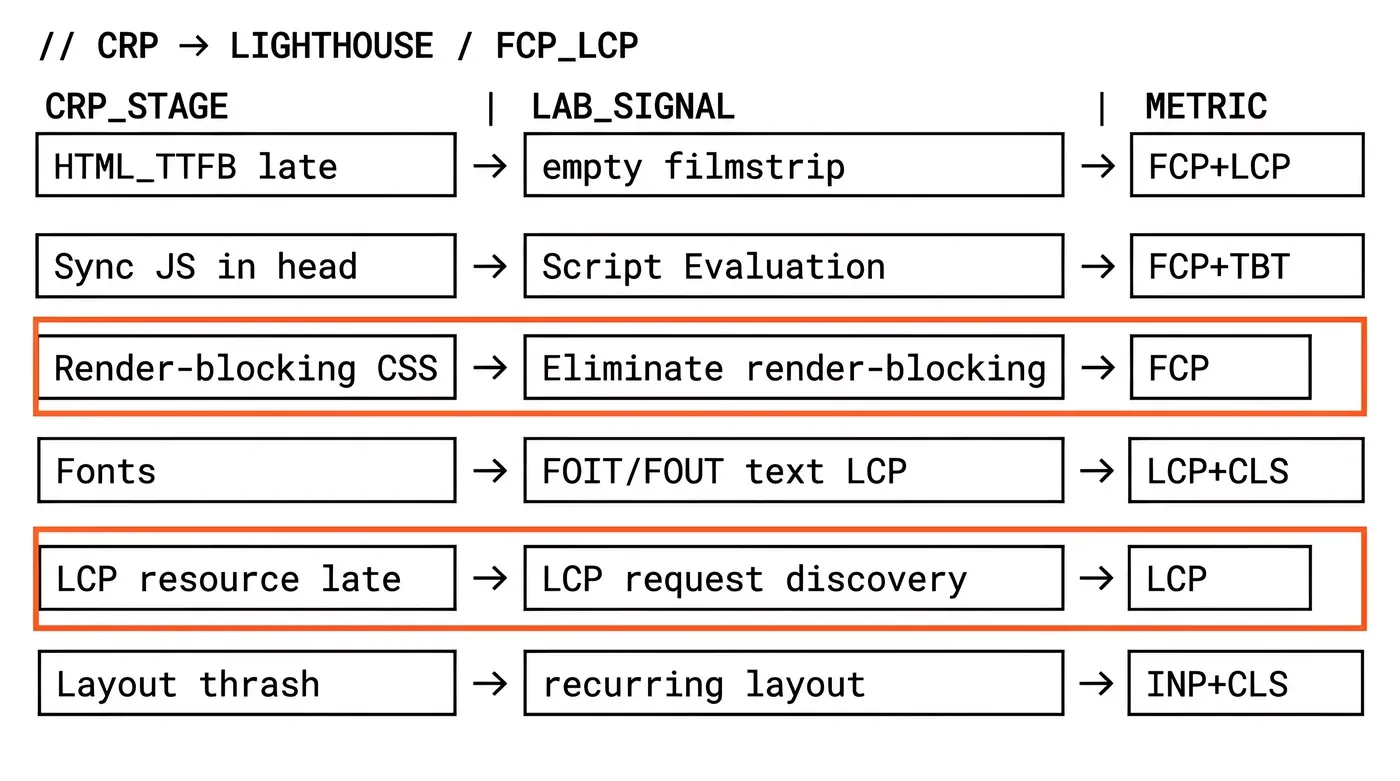
| CRP stage | What you often see in lab | Metric it usually moves |
|---|---|---|
| HTML / TTFB late | Empty filmstrip for too long | FCP, LCP (everything late) |
| Sync JS in head | Long “Script Evaluation” before first paint | FCP, TBT |
| Render-blocking CSS | “Eliminate render-blocking resources”; CSS in critical path | FCP, sometimes LCP |
| Fonts | FOIT/FOUT; late text LCP; layout shift when metrics swap | LCP, CLS |
| LCP resource late | “LCP request discovery”; image not discoverable in initial HTML | LCP |
| Layout thrash | Recurring layout after paint | INP/CLS more than FCP |
A useful habit is to open the network waterfall, mark the first paint line, and ask which request was still outstanding for CSS or for the LCP candidate. If CSS is still downloading at first paint, you have a CSSOM problem. If CSS finished early and the LCP image starts late, you have discovery or priority problems, not a missing “speed plugin.”
Once the stage is clear, a quick way to fix LCP covers four changes that usually move time to paint. Resource hints help only after you know which origin or file sits on the critical path, because preloading the wrong asset steals bandwidth from the real blocker.
Why theme and plugin “optimise” tools fail when the path is blocked
WordPress and similar stacks ship dozens of plugins that promise to defer CSS, combine files, or inject critical CSS. Many of them help on a demo theme and then disappoint on a real builder site. They fail for predictable CRP reasons:
They optimise the wrong stage. Inlining a guessed critical set does not help if a sync tag manager still blocks DOM construction.
They break discoverability. Moving the LCP image behind a lazy-loader or a CSS background can remove it from the initial HTML the browser needs for early discovery.
They fight the theme. Builders emit CSS in unpredictable order; a plugin that strips or delays sheets can leave the CSSOM incomplete and trigger late paints or FOUC-like flashes that lab tools still score poorly.
They hide the evidence. One green lab run after a cache warm-up is not a baseline. Without a before/after on the same URL and strategy, nobody knows which stage moved.
Agency technical leads need a sentence clients understand: we do not toggle optimisers until the waterfall shows whether we are waiting on CSSOM, on fonts, or on the LCP resource. That sentence alone prevents a week of plugin roulette when it sits in the ticket before anyone installs another “speed” add-on. The client hears a plan instead of another toggle.
Waterfall checklist: HTML → CSS → fonts → LCP resource
Run this on a cold lab pass with the same mobile throttling you use for clients, and do it before anyone changes production.
HTML: When does the document response finish? If TTFB is the story, fix origin or edge first; CRP cosmetics will not save you.
CSS: Which stylesheets are in the critical path before first paint? Note host, size, and whether
@importchains multiply round trips.Scripts: Any sync scripts before first paint? Name them (theme, analytics, consent).
Fonts: Are web fonts required for the LCP text node? Is
font-displayset so text can paint with a fallback?LCP resource: Is the LCP element in the initial HTML? When does its request start relative to CSS completion?
Priority: Does anything higher priority steal bandwidth from the LCP request (oversized CSS, eager third parties)?
After paint: What still runs on the main thread? Park that for INP/TBT work unless it forces layout on the LCP element.
Write the answers in the ticket. Only then pick a fix that matches the stage: unblock CSS, defer a sync script, fix font loading, or repair LCP discovery. Critical CSS extraction belongs here only when step 2 shows render-blocking CSS as the dominant wait.
Verify CRP fixes with scheduled tests and budgets
A single Lighthouse run after a plugin change is how false confidence spreads. Re-test the same URL on mobile and desktop after the deploy, then keep a schedule so regressions show up when the next theme update reintroduces a blocking sheet. Cold versus warm cache still matters, so say which one you used in the note to the account lead.
That gap between a one-off PageSpeed Insights paste and automated monitoring is exactly where retainer regressions hide. Set thresholds so “good enough” is explicit: a performance budget thresholds template gives bands you can paste into the retainer. When FCP or LCP moves after a CRP fix, you want the date, the strategy, and the URL in one place, not a screenshot buried in Slack.
FAQ
What is the critical rendering path in one sentence?
It is the browser work from receiving HTML to painting pixels the user can see, including DOM, CSSOM, render tree, layout, paint, and composite.
Is the critical rendering path the same as critical CSS?
No. Critical CSS is one tactic for reducing render-blocking CSS on the path, while the CRP is the whole stage model. See critical CSS and render-blocking resources for extraction practice.
Why did first paint improve but LCP did not?
FCP only needs some content to paint, but LCP waits on the largest contentful element. You may have unblocked CSSOM while the LCP image or text resource is still late or undiscoverable. The metrics can diverge on purpose.
Do resource hints fix a blocked CSSOM?
Not by themselves. preconnect and preload help when a specific origin or file is on the critical path, but they do not remove the need to reduce or reorder render-blocking CSS. Hints change order and priority; they do not invent a complete CSSOM.
Should we install another WordPress speed plugin first?
Not before the waterfall checklist. Plugins that defer CSS or scripts without a stage diagnosis often move the problem or break LCP discovery, and then the next audit starts from a muddier baseline.
Diagnose the path, then prove the fix
Open today’s worst client URL in lab conditions and mark first paint on the waterfall. Name the stage still outstanding (HTML, CSSOM, sync script, font, or LCP resource), fix only that stage, and re-run on a schedule. A theme update should not be able to undo that work unnoticed.
If you need a baseline without standing up a full stack first, run a free domain check. When the portfolio needs ongoing lab history and budgets after CRP work, start on Free and keep the same URLs under watch. The path diagnosis stays yours; the schedule is what stops the next silent regression.
References
Critical rendering path (web.dev)
LCP, INP, CLS: What Each Core Web Vital Means and How to Fix It
Network Performance for Web Teams: DNS, TLS, HTTP, CDN, and Cache Rules
Preload, Prefetch, and Preconnect: Resource Hints for Faster Core Web Vitals
Critical CSS and Render-Blocking Resources: Faster First Paint Without Guessing
Defer, Async, and Module Scripts: A Field Guide for INP and TBT
PageSpeed Insights vs Automated Monitoring: When Manual Checks Aren't Enough