Required access: All roles can view subscription summary · Upgrade and billing fixes — organisation Admin (account owner)
Subscriptions in Apogee Watcher attach to the user account that owns billing for an organisation. Plan limits (sites, tests per month, organisations) flow from that subscription to every workspace that user administers.
Open My Account
- Sign in at
/admin. - Open My Account from the sidebar or user menu.
- Read the Subscriptions section: plan name, status, primary organisation, limits, start/end dates, and invoice link when available.
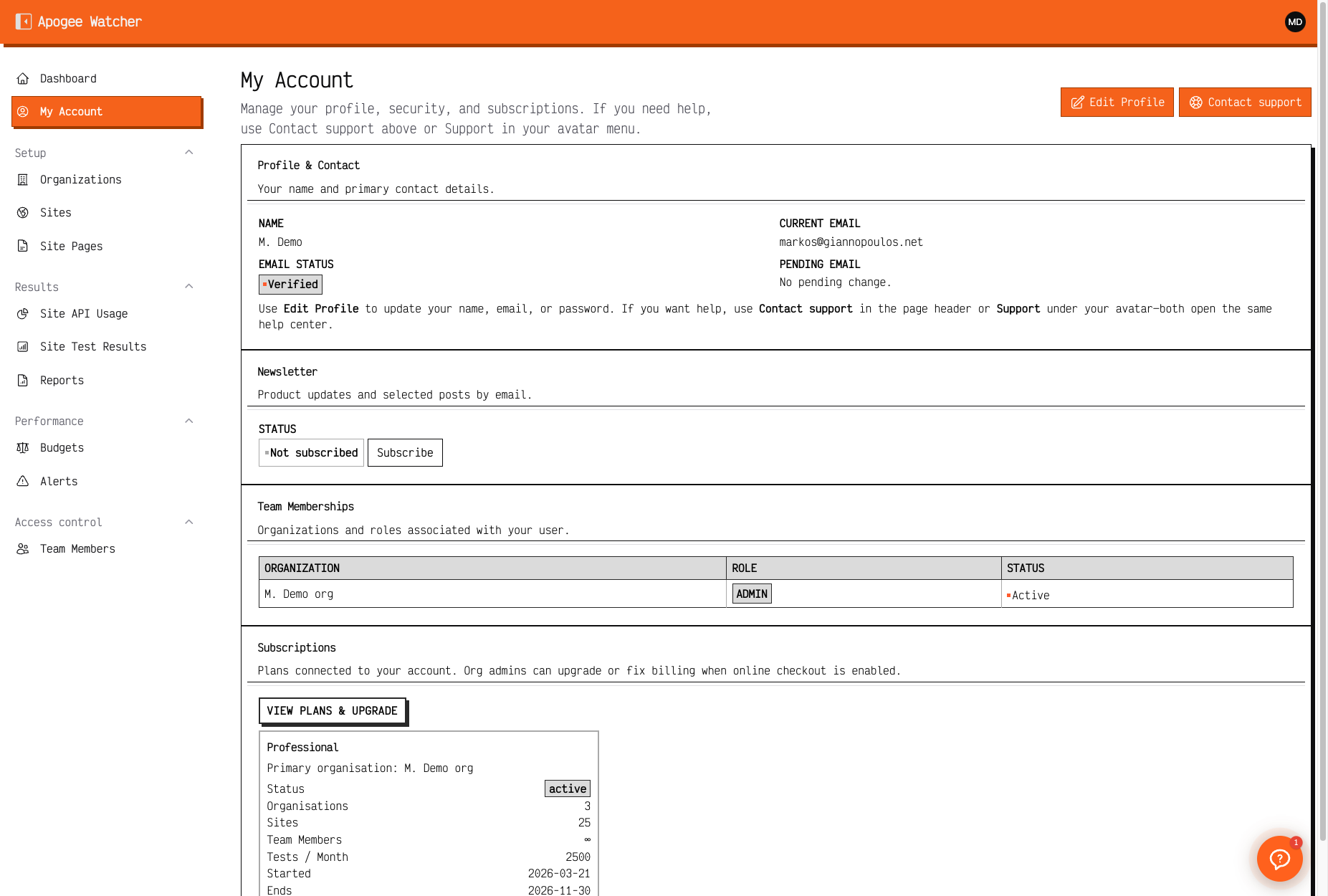 My Account — subscription card and plan limits.
If you are the organisation Admin
You may see:
- View plans & upgrade → public
/pricingand sign-up upgrade path - Fix billing when status is past due (payment provider integration)
- Contact support for invoice questions or manual plan changes
If you are a Manager or Viewer
You can read which plan the organisation uses and current limits. You cannot change billing. The panel directs you to contact your organisation admin for upgrades or renewal.
Renewal and expiry
When a paid subscription ends without renewal, the workspace enters read-only mode — see Read-only when subscription ends.
Before renewal:
- Export important PDFs from Results → Reports
- Note scheduled test frequency — it pauses when writes are blocked
After renewal:
- Read-only banner clears on next page load
- Create, discover, and run-test actions return for roles that had them
Free plan
Free accounts can sign in and explore but cannot create sites or invite teammates — Free plan vs paid. Upgrading moves you to a paid tier with higher limits on Understand plan limits.