Your organisation’s plan caps how many sites, tests, organisations, and features you can use. Roles do not bypass these caps — an Admin on Free still cannot create sites.
For Free-specific gates, see Free plan vs paid.
Where to see usage
- Sign in at
/admin. - Check the topbar usage meters (Sites / Orgs / Tests); click for period details and forecast.
- Check the dashboard plan usage widgets (sites, tests this month, and related counters).
- Open My Account for subscription and plan context.
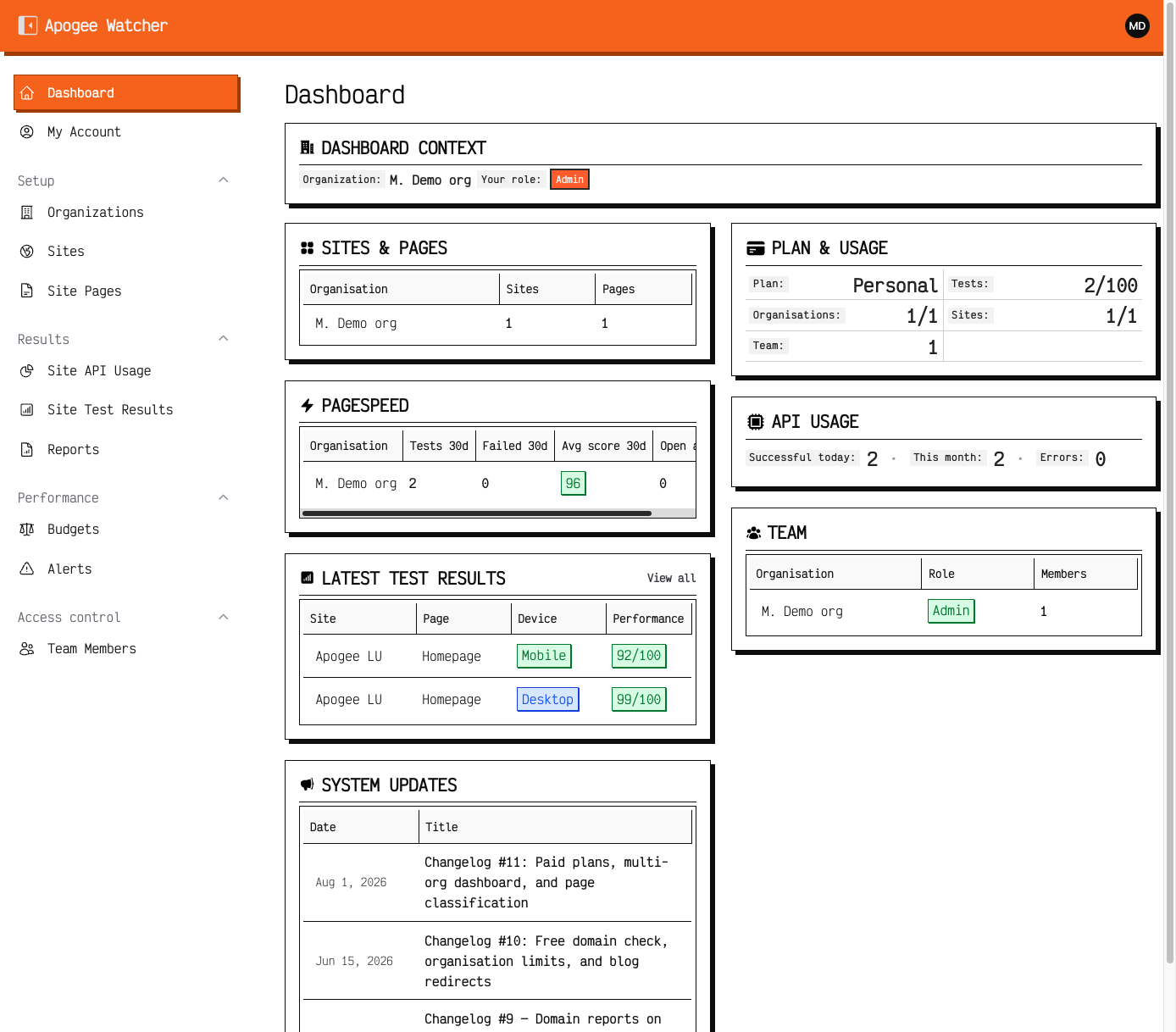 Dashboard PLAN & USAGE — tests, organisations, sites, and team counters for the current plan.
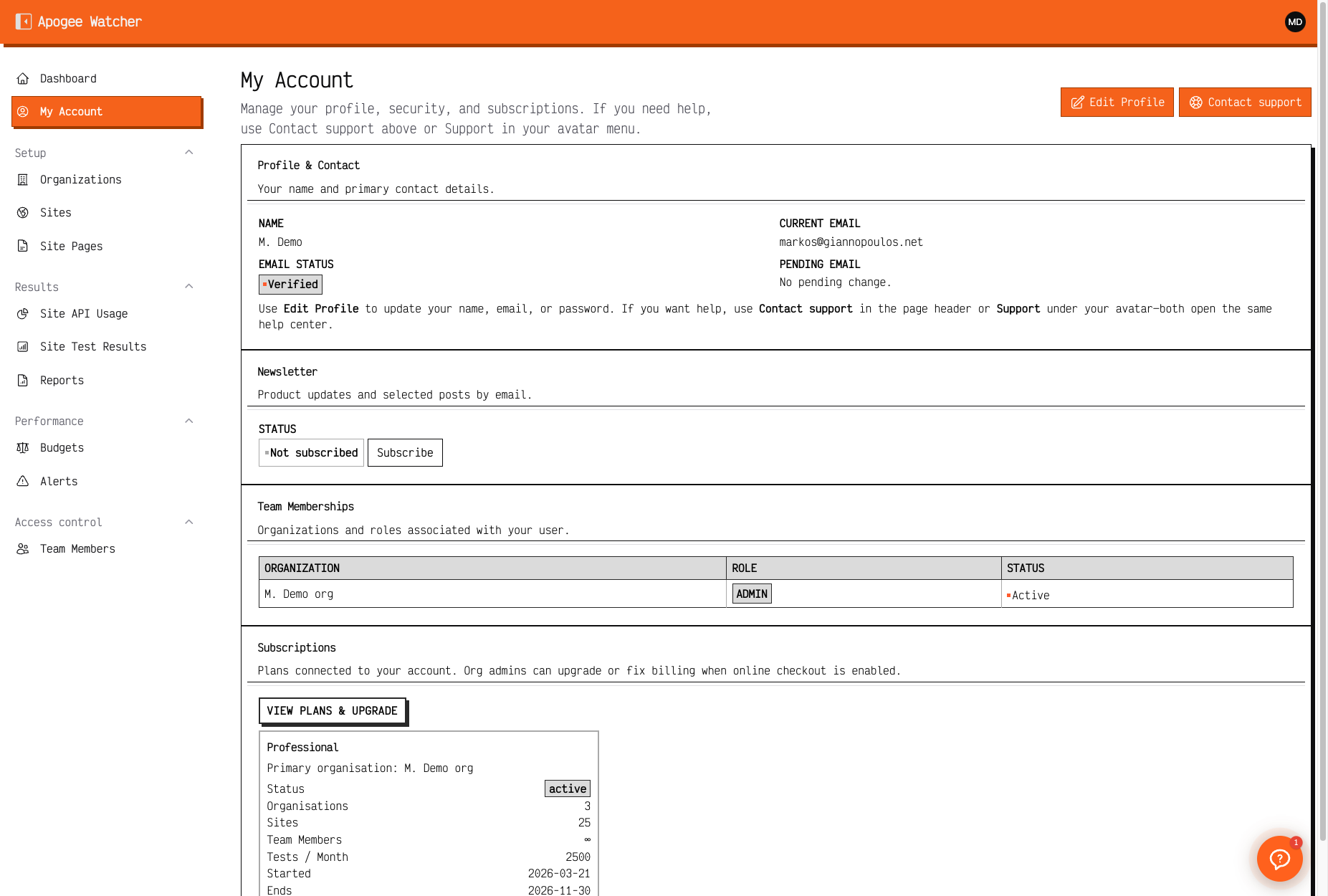 My Account — profile, team memberships, and the active subscription card with plan caps.
Results → Site API Usage shows PageSpeed quota consumption across sites when you need detail.
Limits that matter day to day
Exact numbers depend on tier (Free, Personal, Starter, Professional, Agency, Enterprise). Treat the following as the axes Watcher enforces:
| Axis | What it controls |
|---|---|
| Sites | How many site records you can create |
| Tests per month | Successful PageSpeed runs (manual + scheduled); each enabled strategy counts |
| Organisations | How many workspaces you can create on the account |
| Team members | Invite capacity (Free is effectively solo) |
| Retention | How long historical results remain available |
| Schedule frequencies | Monthly / weekly / daily / hourly options by tier |
| Alert channels | Email baseline; Slack / webhook on higher tiers |
| Feature flags | Examples: PDF/white-label, API access, AI insights, leads |
Published pricing pages summarise commercial tiers. If dashboard counters disagree with a sales quote, contact support with your organisation name.
What happens near a limit
- Sites / orgs / seats: Create actions hide or fail when the cap is reached — upgrade or remove unused records.
- Monthly tests: Manual and scheduled runs stop succeeding when the successful-test budget for the current billing period is exhausted. The period renews on the subscription anniversary (day of
starts_at, e.g. started on the 10th → quota resets on the 10th each month). Wait for renewal or upgrade. Accounts without a subscription start date fall back to the calendar month. - Quota emails (dev1): warning at 80% (includes a scheduled-test forecast through period-end) and notice at 100% that tests pause until renewal.
- Channels / features: UI may omit Slack, webhook, white-label, or API until the plan includes them.
Role vs plan
| Question | Answer |
|---|---|
| Can a Viewer exceed quotas? | No — quotas are organisational |
| Can an Admin on Free invite? | No — Free blocks invites |
| Does Manager bypass test caps? | No |
Upgrade and billing
Self-serve upgrade and renewal are not fully documented in /docs yet. Until then, use My Account and support for plan changes.