The Free plan lets you sign in and explore the customer panel. It is not a full monitoring workspace: Watcher blocks creating sites and inviting team members until you move to a paid plan or an active trial.
What Free allows
- Sign in at
/adminand open the dashboard - Belong to an organisation created at registration
- View UI chrome and help docs
- Use limited seeded quotas if data already exists (for example after a trial ends and the account returns to Free)
Exact Free counters (tests per month, retention, monthly schedule) are summarised under Understand plan limits.
What Free blocks
| Action | Free | Paid / active trial |
|---|---|---|
| Create site | No | Yes (within site cap) |
| Invite team member | No | Yes (within seat rules) |
| Run discovery / budgets / scheduled portfolio monitoring | Not practical without sites | Yes |
If Create is missing on Sites or Team Members, check the plan first — it is often Free, not a role mistake. Roles still apply on paid plans — What each role can do.
Paid plans (summary)
Paid tiers (Personal, Starter, Professional, Agency, Enterprise) unlock site creation and invites, raise test and retention limits, and progressively unlock channels and features (Slack, webhooks, white-label PDF, API, leads, and more). Compare axes on Understand plan limits and the public pricing page.
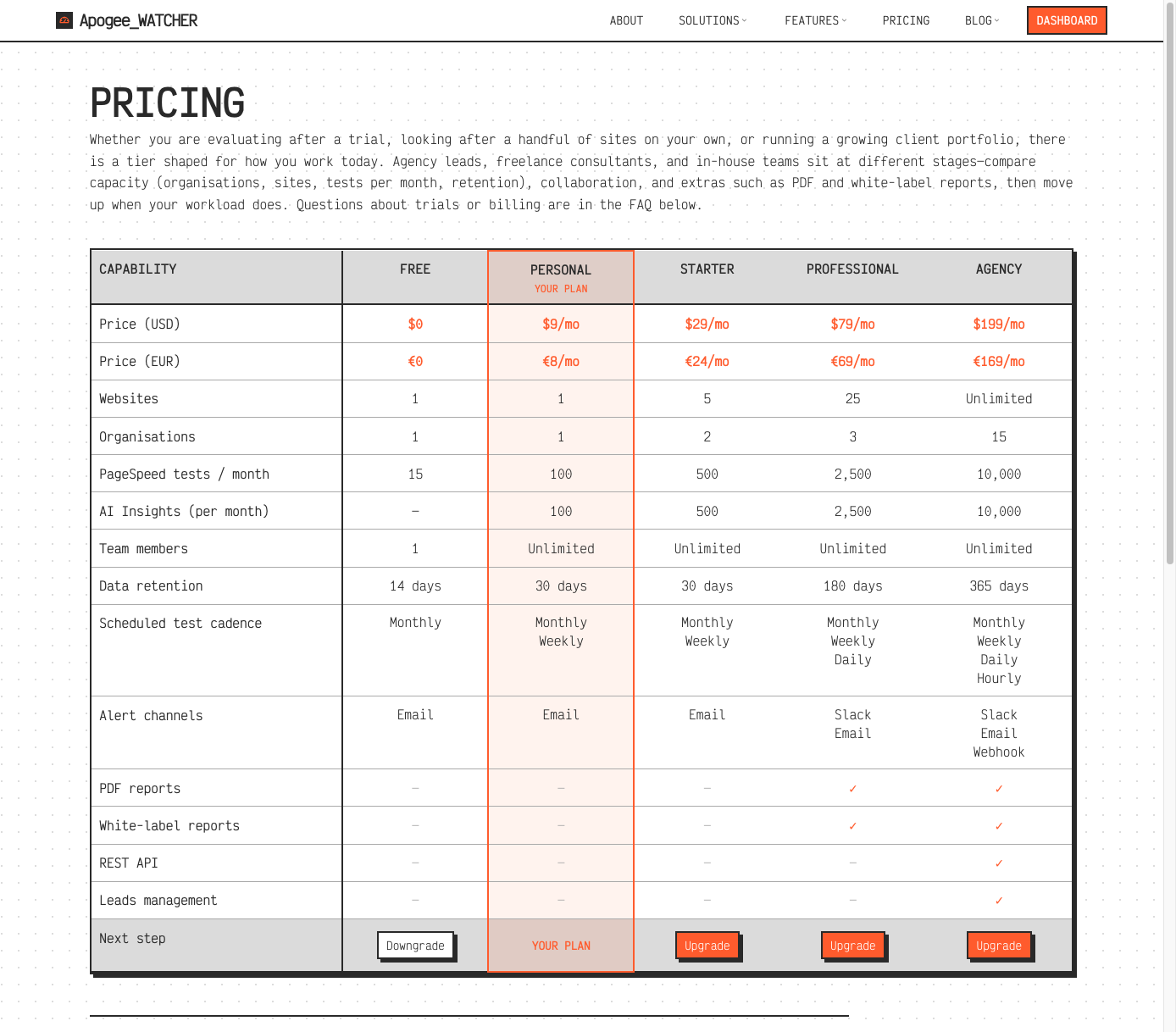 Public
 /pricing — Free through Agency capabilities (Personal highlighted when you are already subscribed).
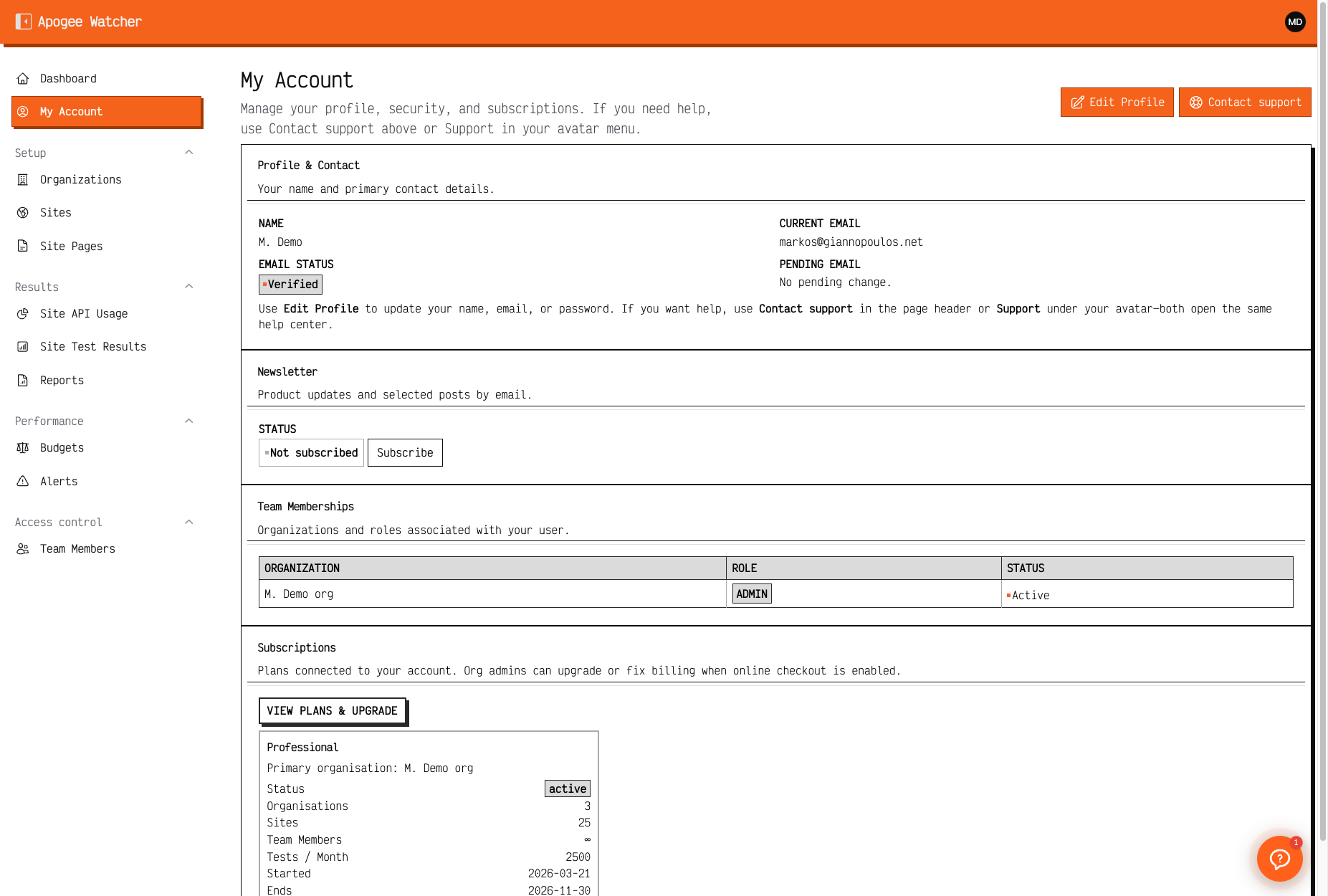 My Account on a paid Personal plan — sites, tests, and team caps for the primary organisation.
Trials via coupon
Entering a valid coupon during Create your account can start a trial on a target paid plan for a fixed number of days. Invalid coupons can block registration — remove the code or request a corrected one.
Next steps
- Upgrade or start a trial if you need to monitor a real hostname.
- Follow First organisation and site.
- Invite delivery staff with Invite a team member.