Required access: View public link — anyone with URL · Generate domain report — Manager or Admin · Site needs completed test data
A domain report in Apogee Watcher rolls up PageSpeed / Lighthouse results from multiple URLs on one hostname into a single shareable page. Use it for prospecting, client readouts, and the public free domain check funnel — distinct from organisation PDF schedules (Organisation reports and PDF).
Public URLs look like:
https://apogeewatcher.com/reports/domain/{token}
The Summary tab is the default landing view (attention-free score and priority list). Do not append #summary in outreach or product copy — it is redundant.
Generate from a monitored site
- Sign in at
/admin. - Open Setup → Sites and select a site with recent test results.
- Open the Reports tab (relation on the site view).
- Click Generate domain report (Manager or Admin).
- When generation completes, use Open to copy or visit the public link.
The report pool typically includes up to ~20 pages drawn from scheduled-test pages on that site.
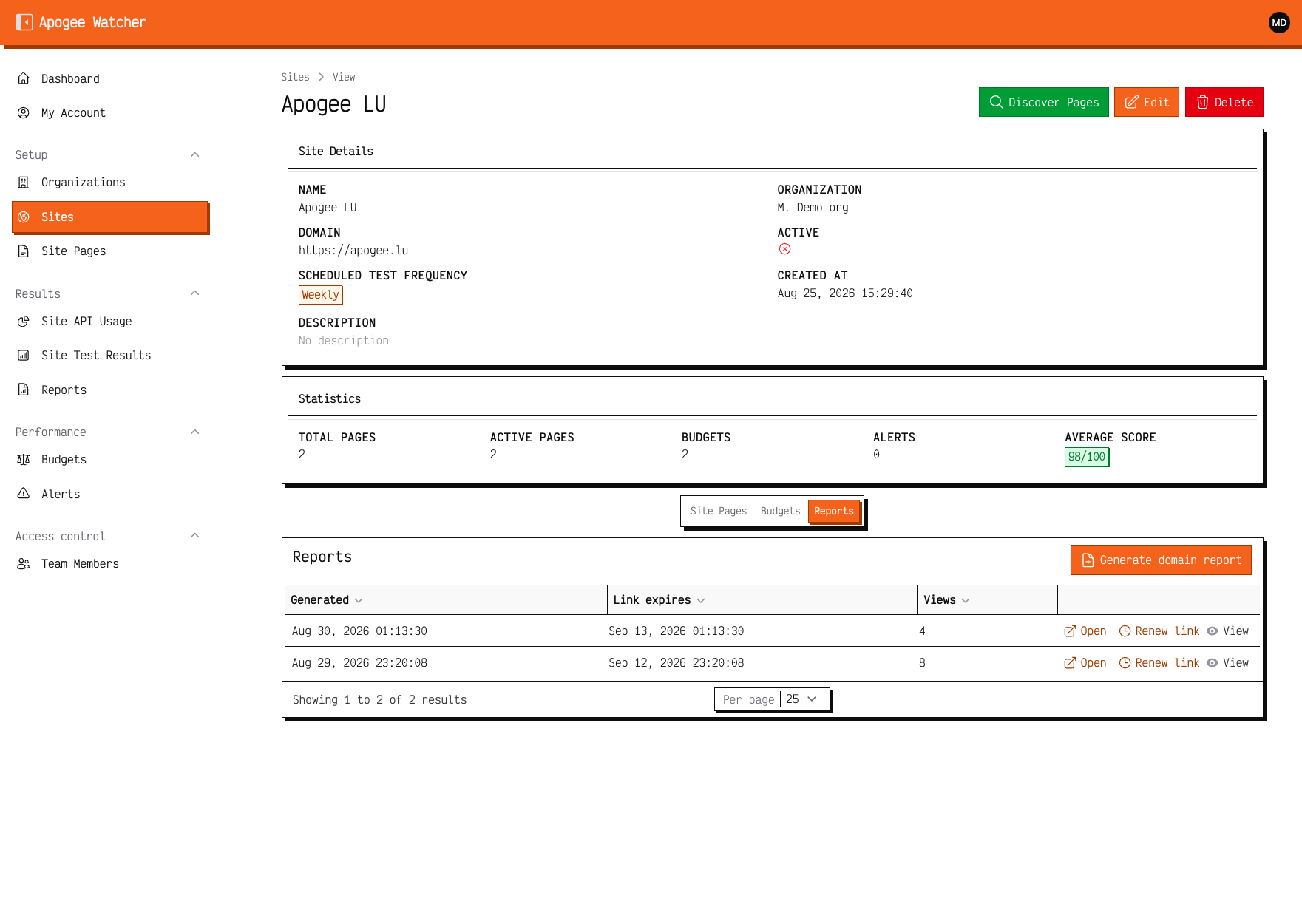 Site view Reports tab — Generate domain report after tests exist.
Read the public report
Shared domain reports include:
- Summary — Attention-Free Score, dimensions needing attention, top pages, merged opportunities
- Mobile / Desktop — full strategy tabs with scores and Lighthouse opportunities
- Tested pages — per-URL grid with colour-coded metrics
Lab data only on Summary — not Chrome UX Report field history. Pair with Lab data vs field data when clients ask about CrUX. For gate thresholds and how to read the score, see Attention-Free Score.
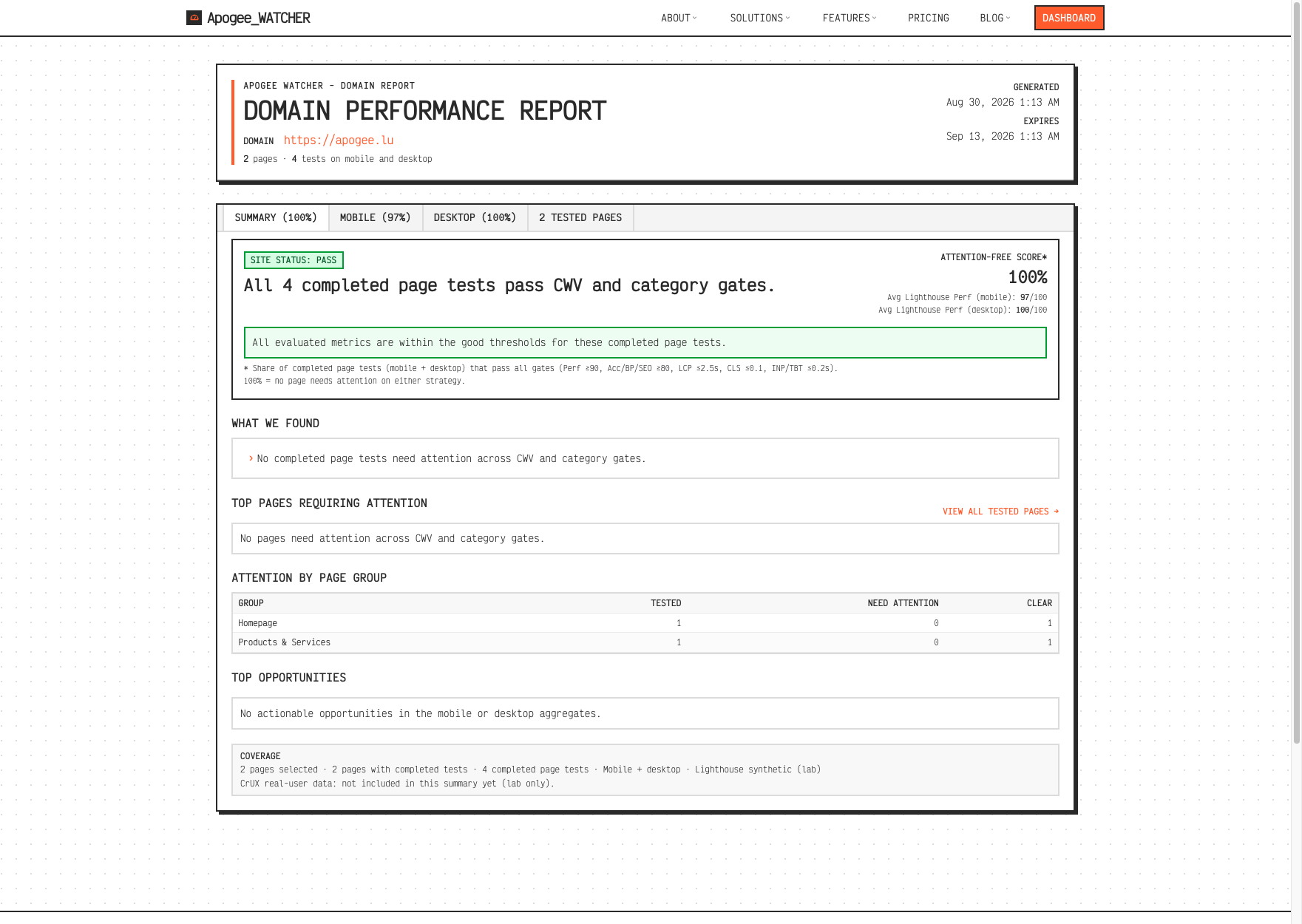 Public domain report Summary — default tab on the public URL.
PDF export
When your plan includes PDF reports, a PDF action may appear on the public report or in the panel. PDF availability follows the same pdf_reports feature as organisation reports.
Free check and save-report flow
Visitors can run a free domain scan at /check without an account.
- Enter the website domain and continue.
- Confirm the pages to include (up to the free-check page limit).
- Start the scan. You can leave a work email when you start (report link by email when ready), or start without email and optionally add one on the thanks page for the same notification. The thanks page updates with live scores and findings (grouped by page type) while tests finish.
- Open the public domain report when the scan finishes (same Summary / Mobile / Desktop shape as a generated domain report).
Save the scan to Watcher
On the public report, Save this report imports the domain, pages, and PageSpeed results into a workspace so you do not re-run the tests.
| Situation | What you do |
|---|---|
| Report has no email yet | Enter a work email on the report save form (optional marketing consent). Watcher creates a Free account if needed and imports the scan. |
| Report already has an email | Use Save this report / sign-in. Prefer that same address. |
| You already have an account | Sign in at /login/save-report with password, Continue with Google, or Email magic link, then import. |
Full sign-in options: Sign in. Free accounts still cannot create extra sites until you upgrade — see Free plan vs paid.
Renew or replace links
Domain report links can be renewed from the site Reports tab when a token expires. Renewal issues a new share URL — update client bookmarks, or contact support if an old link stops working after renewal.
Compare to single-test sharing
| Need | Use |
|---|---|
| One test result, one URL | Share a test result link |
| Many pages on one host | Domain report (this article) |
| Recurring PDF pack | Organisation reports |