Required access: All roles can generate and open share links · Read-only mode disables new shares
Share a read-only public URL for a single completed PageSpeed result without giving someone /admin access. Recipients open /reports/{token} in a browser — no Watcher login required.
This is different from scheduled organisation reports (PDF archives). For those, see Download organisation reports.
Generate a share link
- Sign in at
/admin. - Open Results → Site Test Results.
- Open a completed result.
- Click Generate Share Link (label may show Copy Share Link after creation).
- Copy the URL and send it to the recipient.
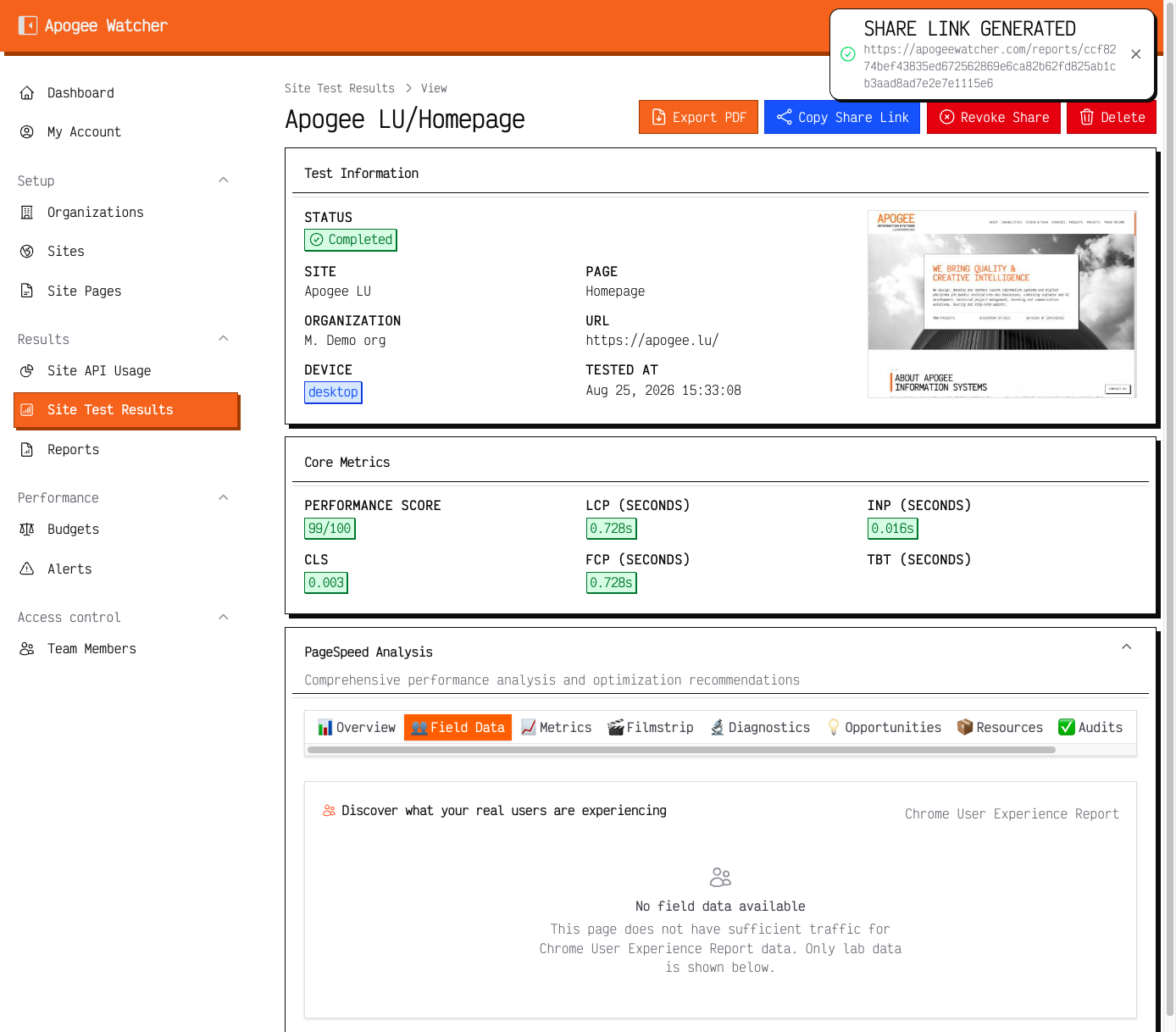 Result view after share generation — Copy Share Link and Revoke Share replace Generate.
The link expires 30 days after generation. Generate a new link if the previous token expired.
Share actions are unavailable while the organisation is in read-only (lapsed subscription) mode.
What recipients see
The public page shows the same core story as the in-app result view for that run: scores, vitals, and related diagnostics suitable for a stakeholder snapshot. Recipients cannot edit budgets, re-run tests, or browse other sites.
Revoke a link
- Open the same test result in
/admin. - Use Revoke Share (or equivalent) when offered.
- Confirm the public URL no longer loads the report.
Revoking does not delete the underlying test result.
Viewer note
Viewers can generate, copy, and open share links. They cannot delete the test result record itself.
For quarterly reviews, prefer a fresh share (or PDF export) tied to the run you discuss — do not reuse a token that may expire mid-thread.